CUNYfirst MyInfo
“Redesign of the CUNYfirst MYinfo app”
STRATEGIES:
TOOLS:
Figma
User Research, Information Architecture, User Flows, Wireframing, Prototyping, UX/UI Design
ABOUT THE PROJECT
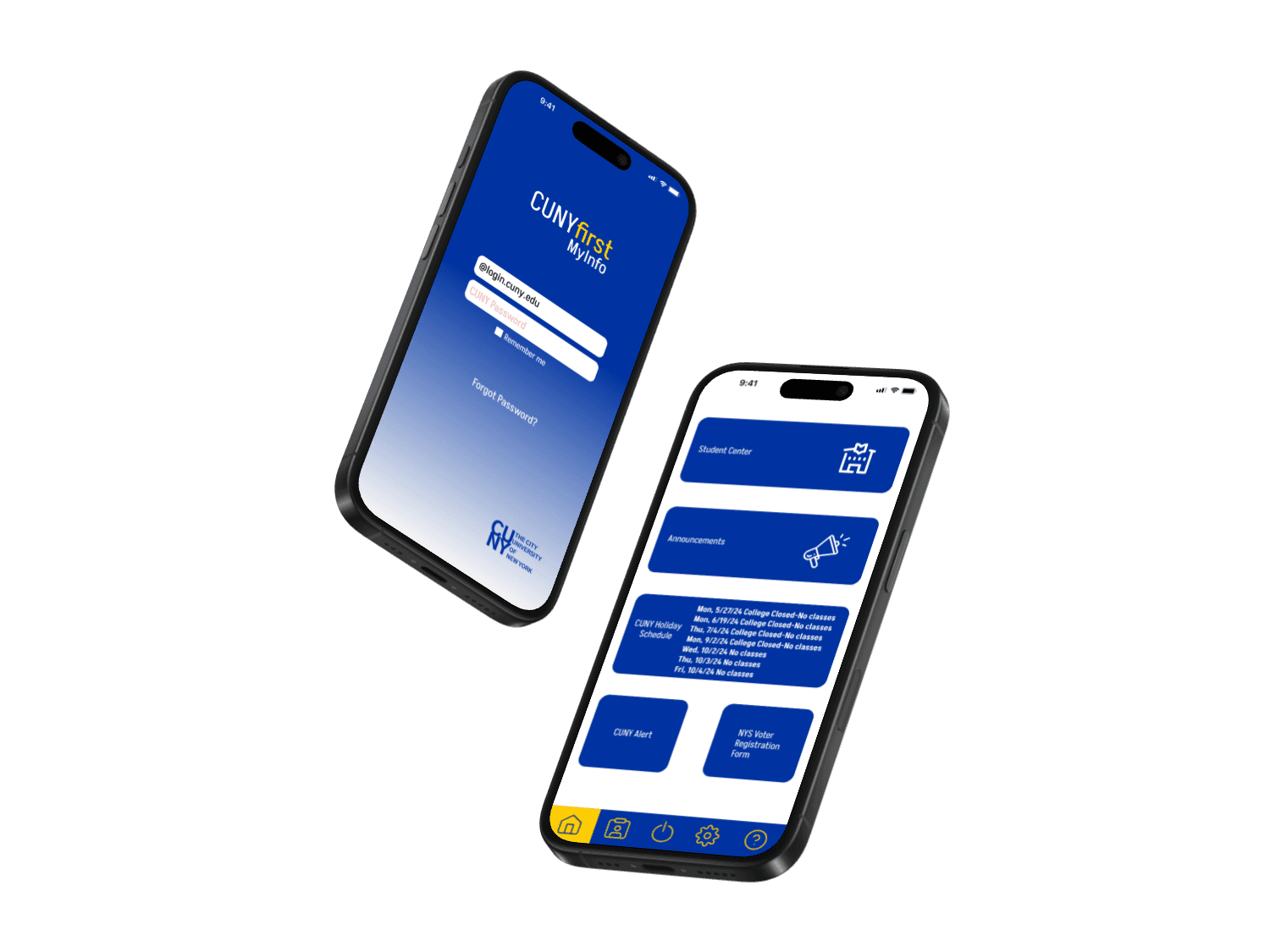
Cunyfirst is the portal where CUNY students are able to take care of their academic responsibilities with the most important being registering for classes, viewing grades, paying tuition and tracking their graduation progress. However, the mobile app is outdated so students are unable to perform simple tasks from their phones.
Jump to solution
RESEARCH
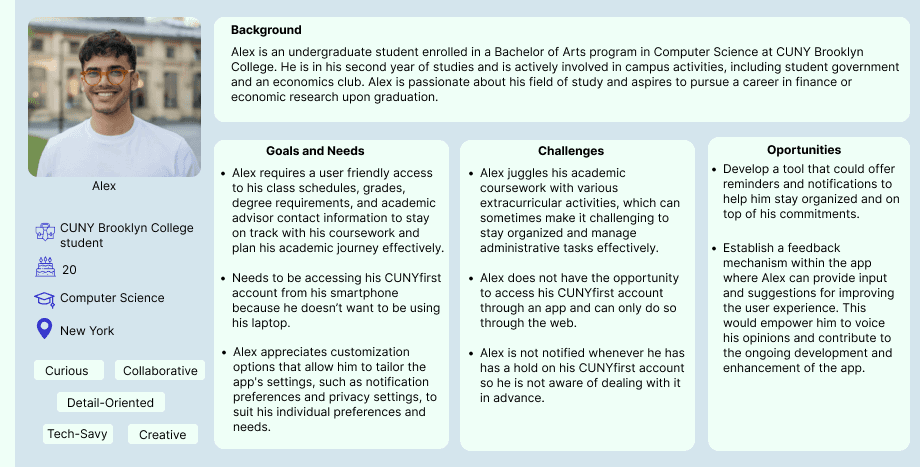
I initially created a persona so I could determine the needs, challenges and goals of a common student. After that, I gathered quantitative data by conducting interviews with three CUNY students.
Research
Low fidelity wireframes
Final Prototype
Interviews
Evaluate feedback
High Fidelity Wireframes
PROCESS BREAKDOWN
WIREFRAMES
REFLECTION
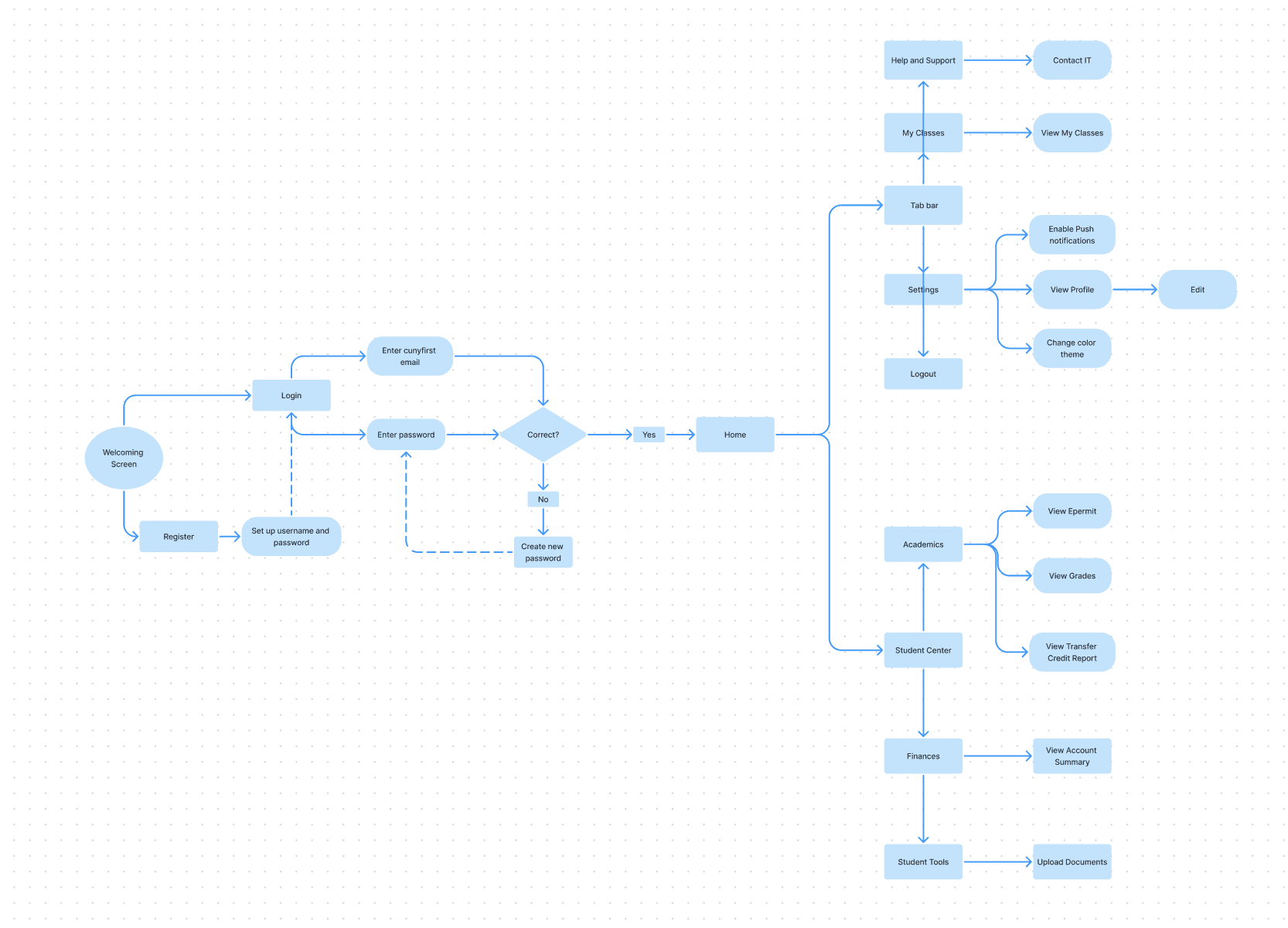
USER FLOW
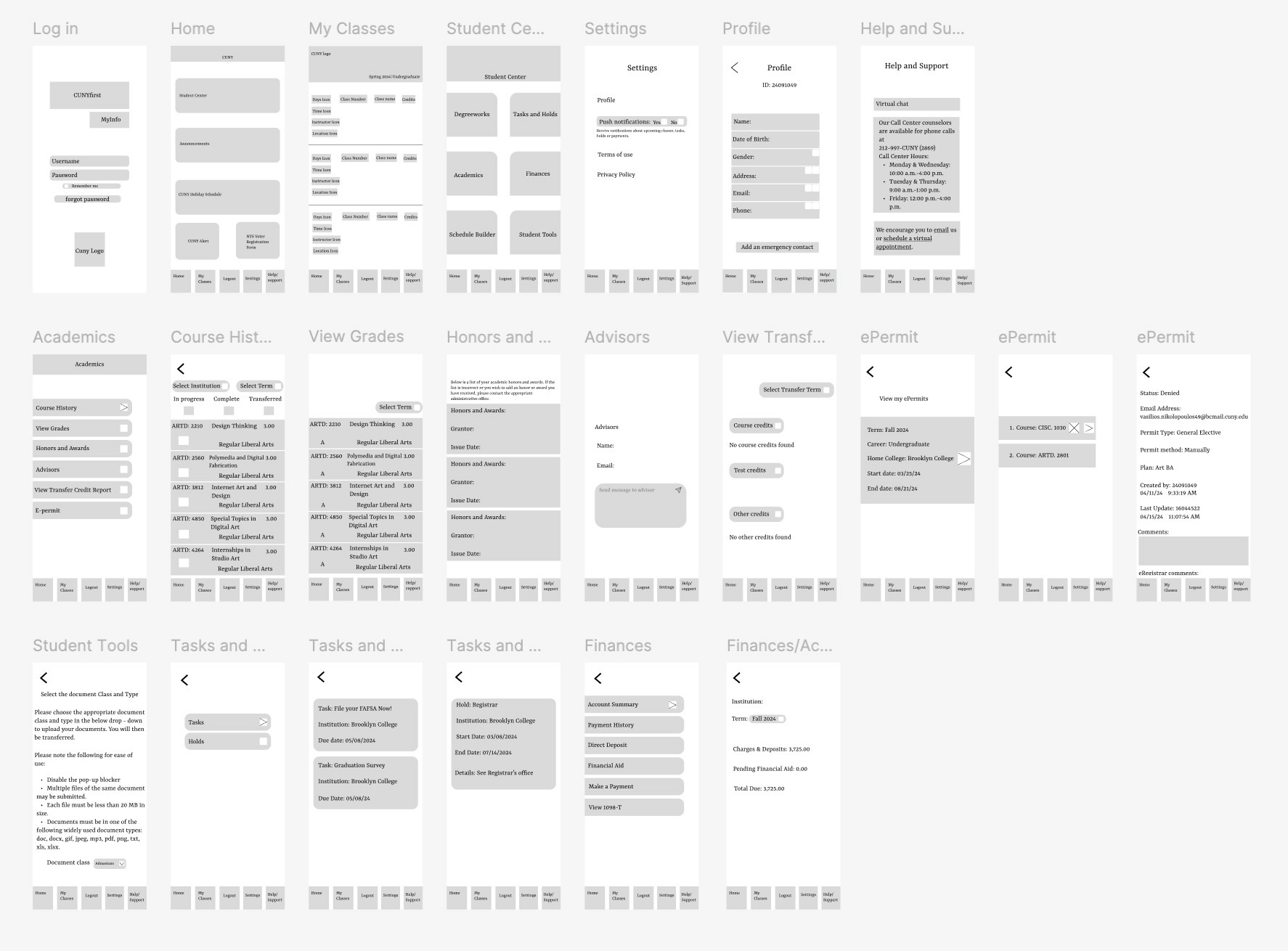
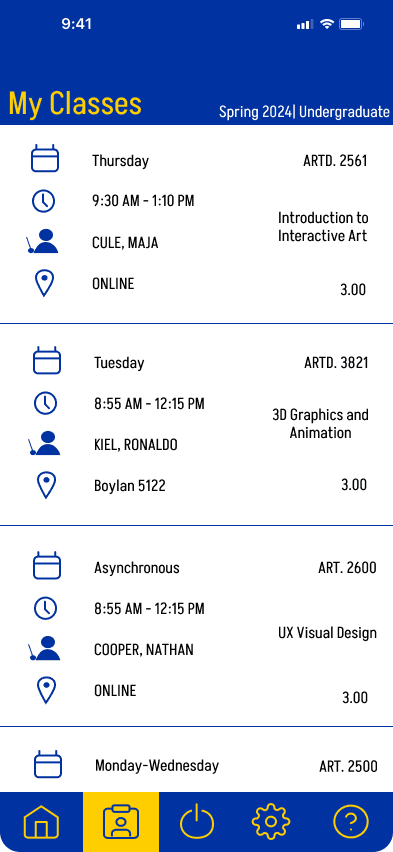
I would definitely say that I got in-depth with Figma and figured the usefulness of interactive elements. For example, the navigation bar which switches to a yellow color background once a user taps on one of the 5 buttons. However, figuring out the UI was very challenging because Cunyfirst’s platform is desktop-based so I had to come up with something completely different for a mobile version. I wasn’t sure if I should’ve included the build your schedule feature along with the upload your documents under “Student Tools” as desktop use is more convenient in such cases.
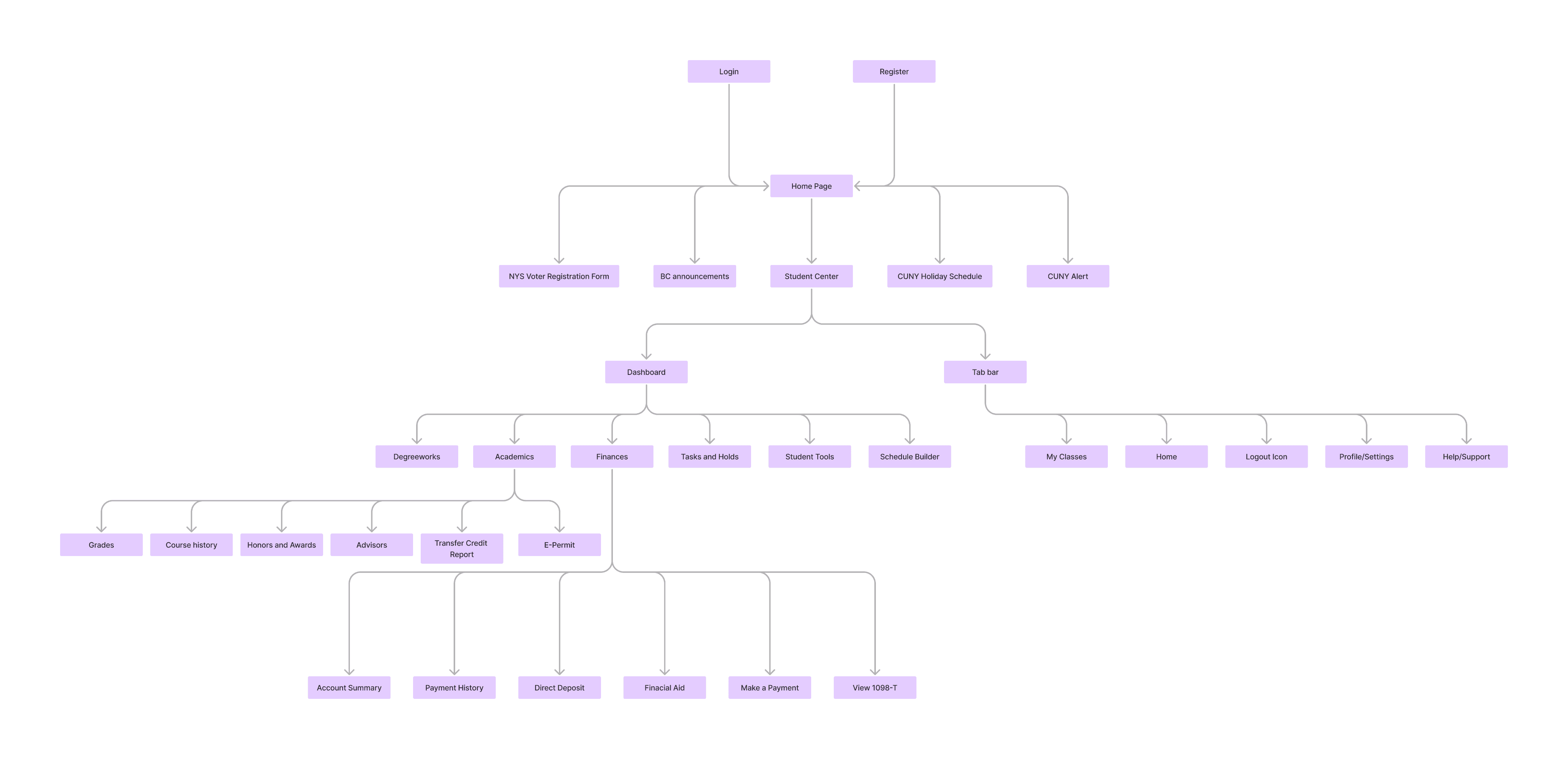
SITE MAP
My goal was to interview CUNY students who use the CUNYfirst platform. I aimed to ask questions that focused on the main tasks that students performed, the pain points of the desktop and web use and certain opportunities that could be icorporated into a potential app.
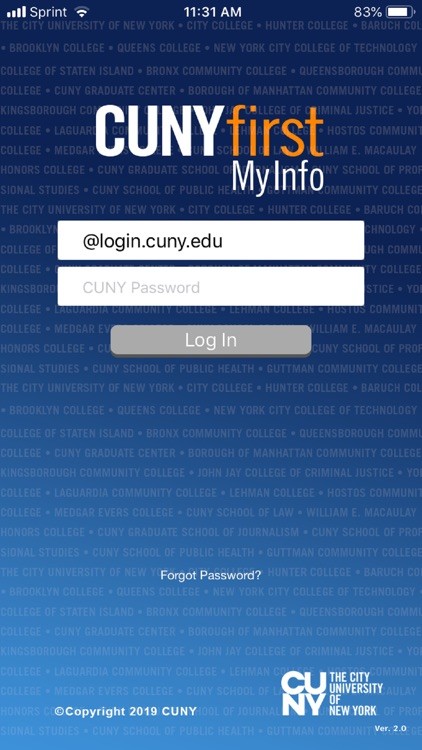
Before
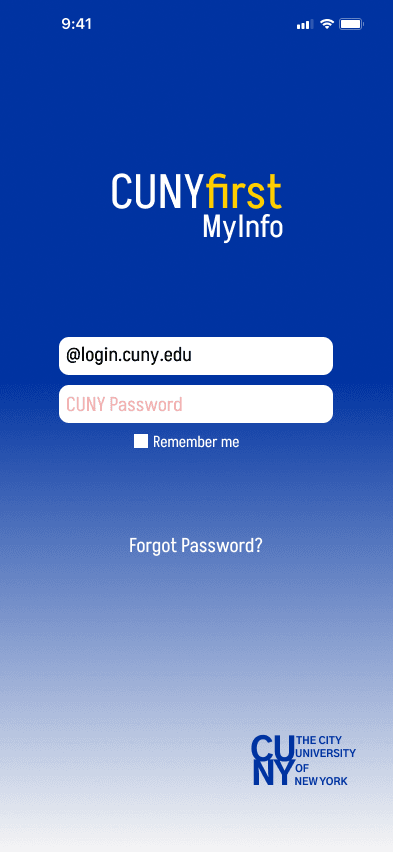
Log In
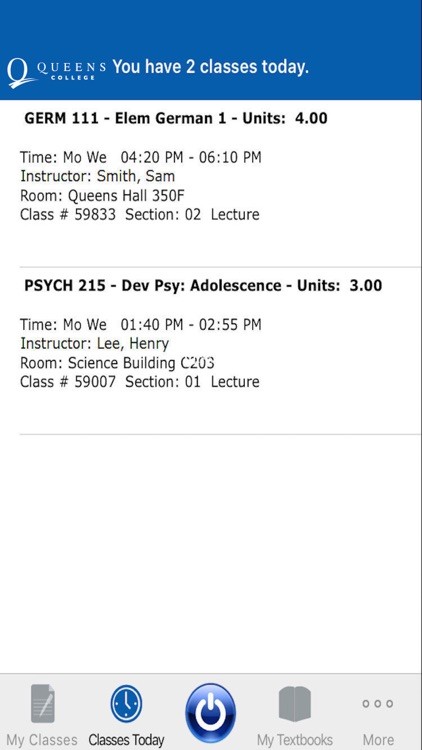
My Classes
After
FINAL SOLUTION
An effective schedule display is considered essential.
Essential App Features
The app should have a less complicated main page for easier login and use.
Mobile Access Importance
Accessing information while traveling or on the way to school.
Easier access through a mobile app would lead to more frequent checking of grades and schedules.
Increased Engagement
Usability Improvements
Need for an easier experience on desktops for certain tasks.
Some tasks are better suited for desktops, suggesting a complementary relationship between app and web platforms.
App Utility
An app would be useful for quick tasks when traveling.
Sometimes you need answers to some of your school stuff, while traveling, or on the way to school”
“I think a good schedule display for students is essential. So students can easily check their class schedule and the specific info about them”
“If students were getting notifications for most of the cunyfirst stuff, they can be on top of things they want to complete”
“I think I would engage more with a mobile because i would assume it would be easier to log in and have a less complicated page”
INTERVIEW RESULTS