“It should be easy and accessible so people can book it on the go”
“I think I would want the duration to be averaging 2-3 hours”
“I think integrating it in the BC navigator app would be ideal but I would also like to use my laptop”
“I don’t mind the current process but I’d use a digital feature”
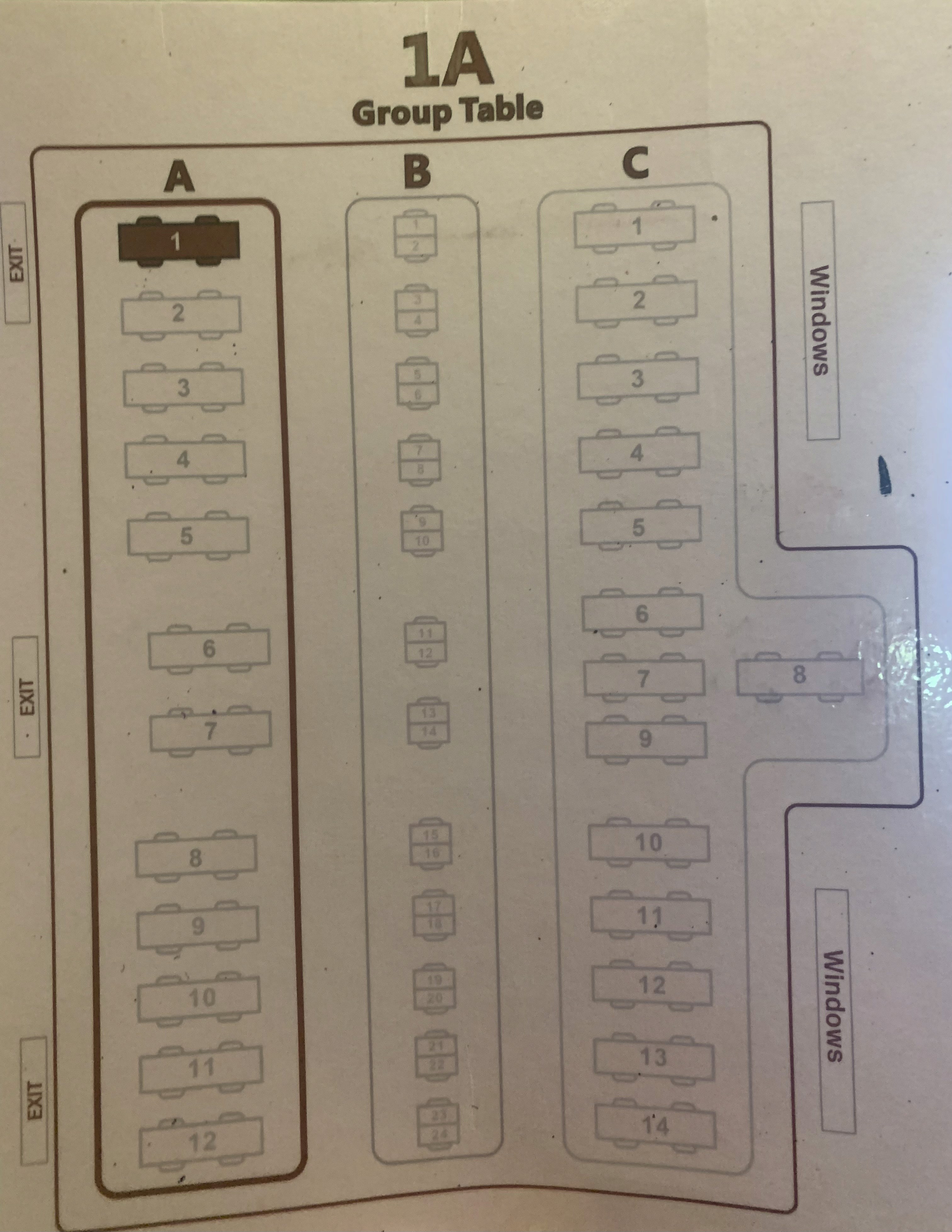
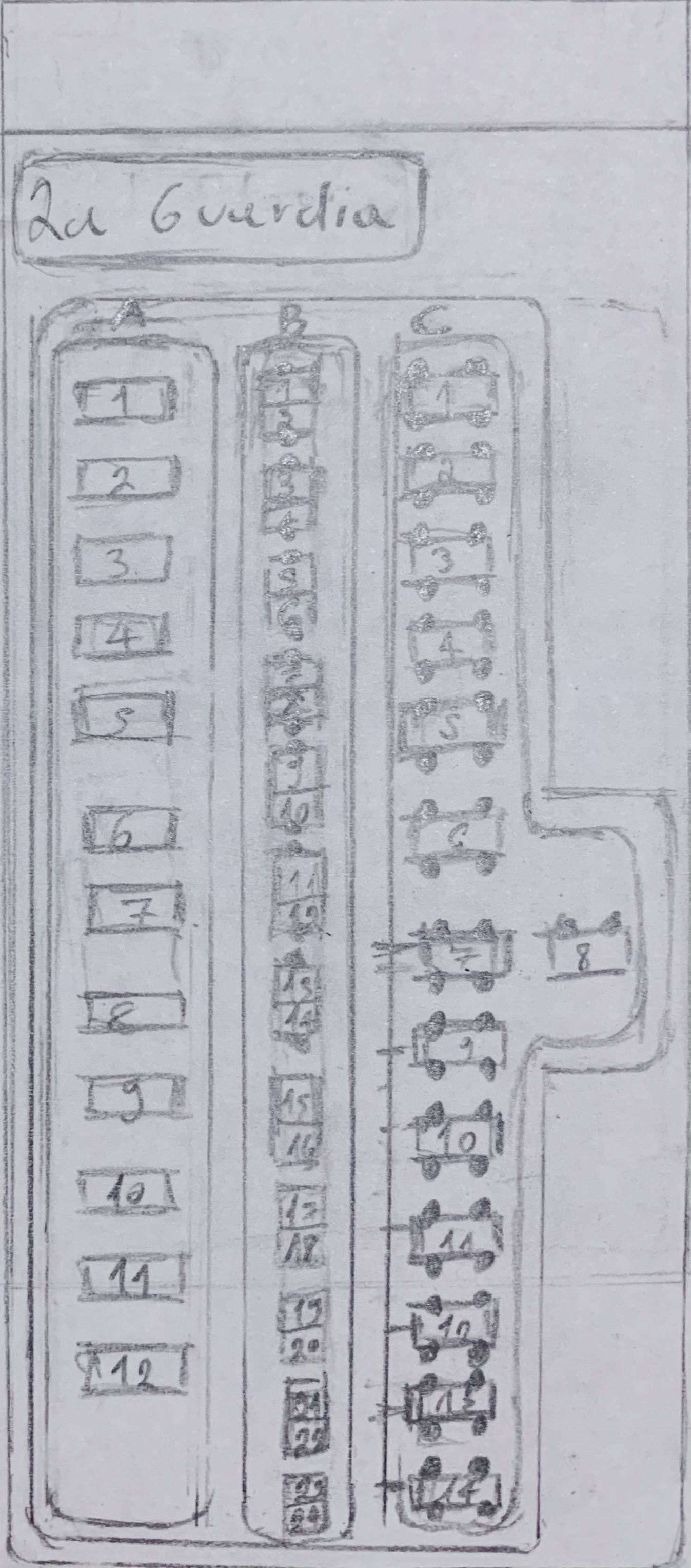
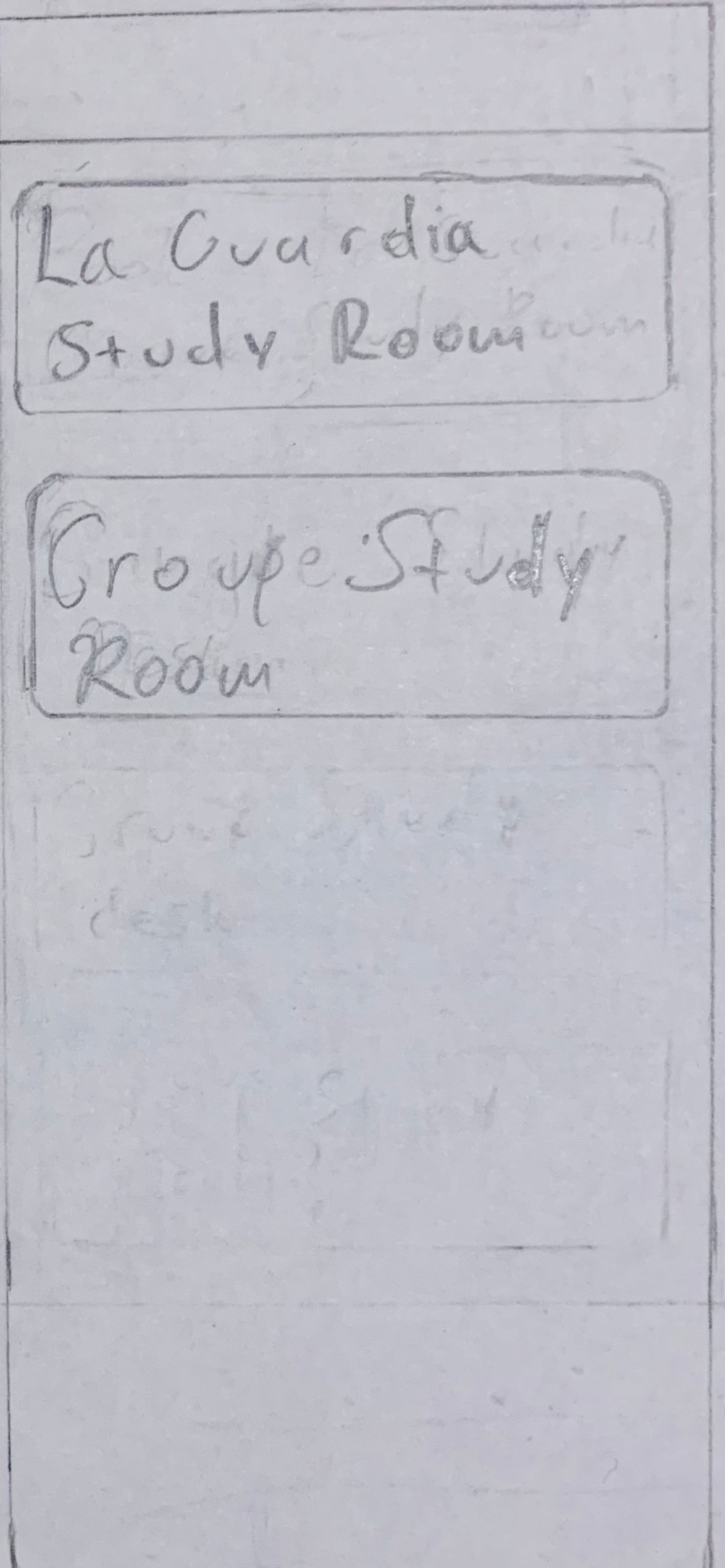
Physical copy of the “La Guardia Reading Room”
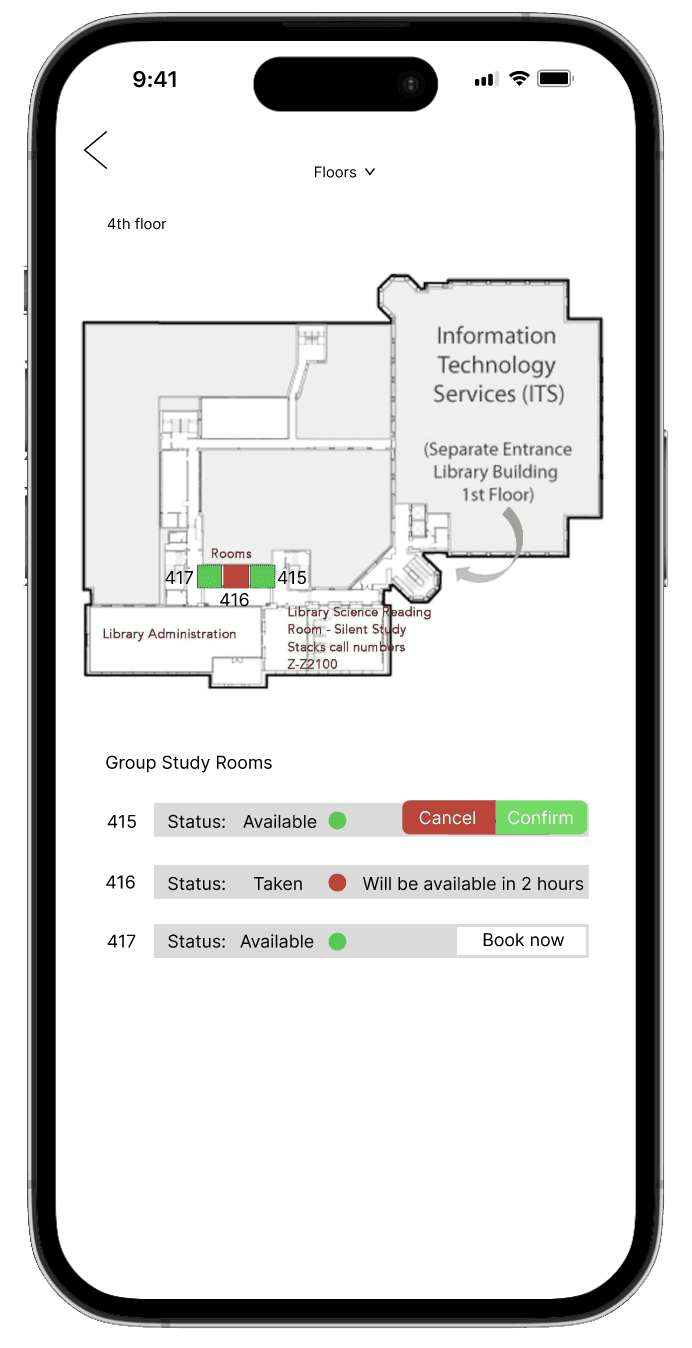
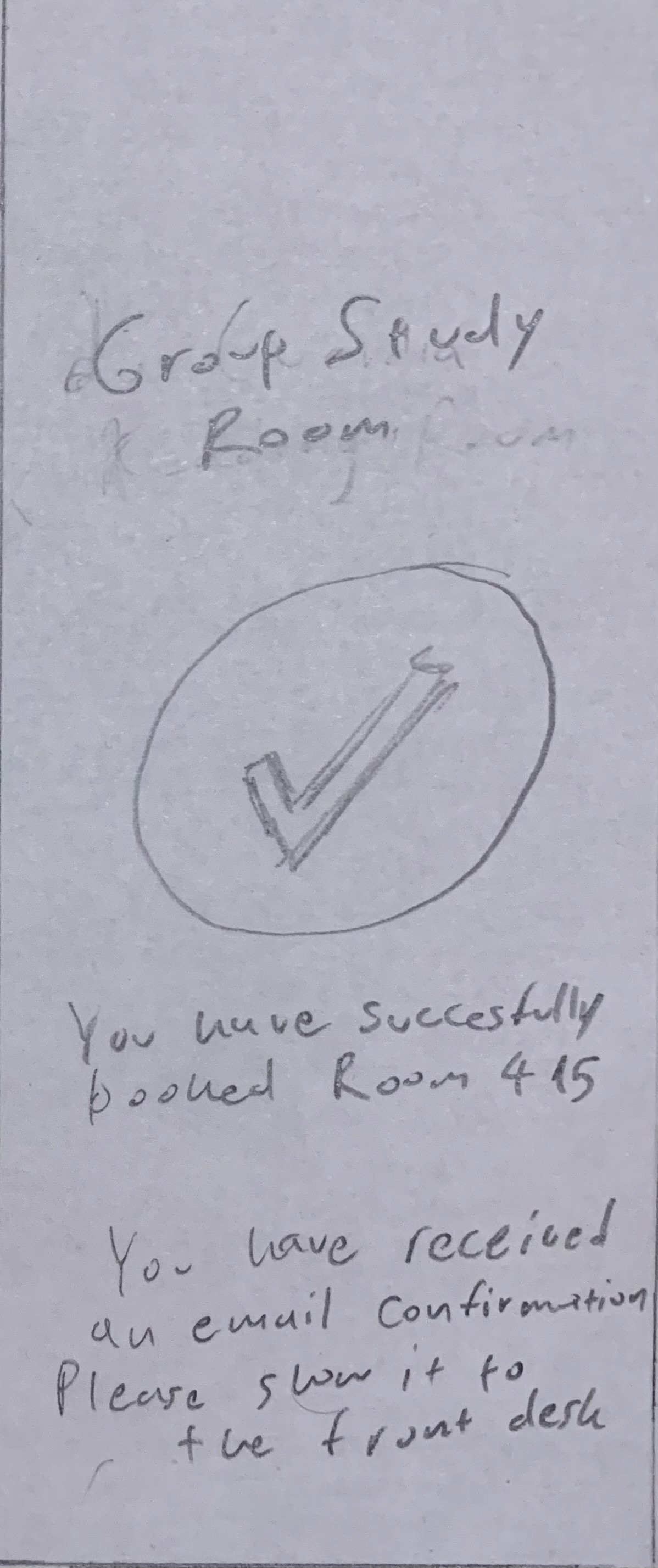
Group study rooms
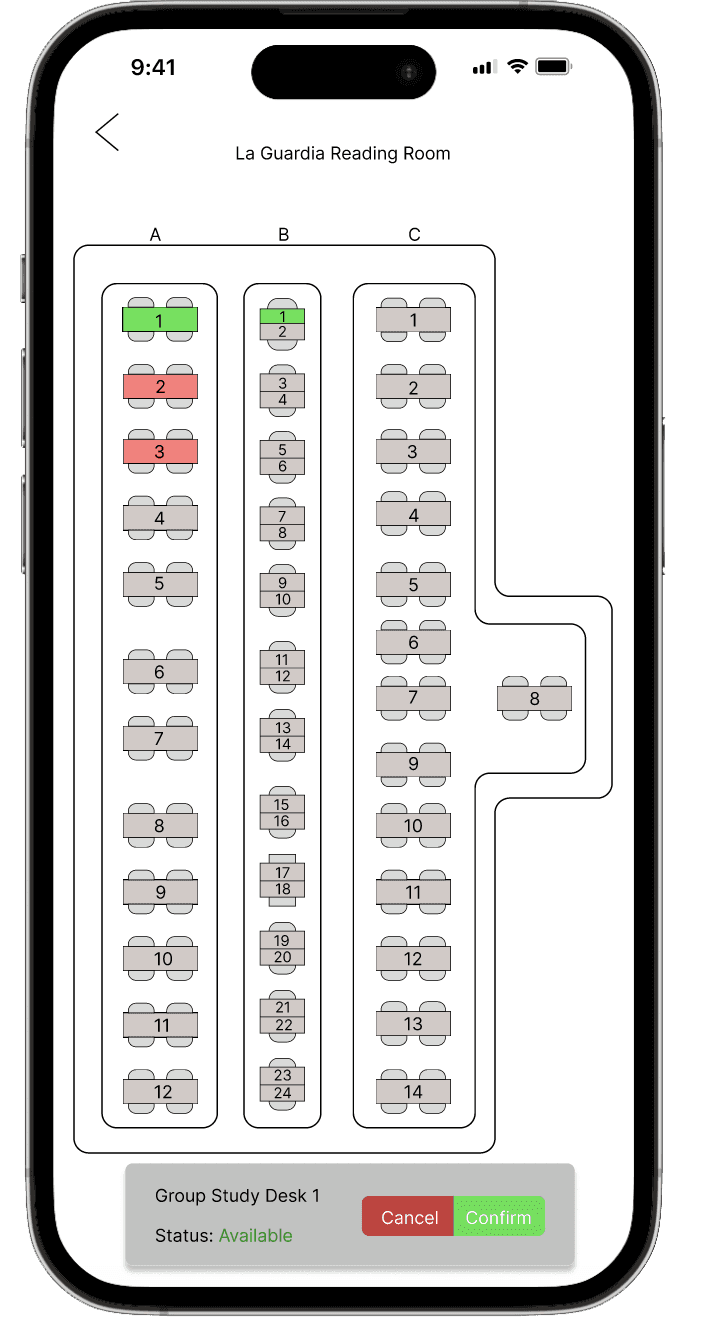
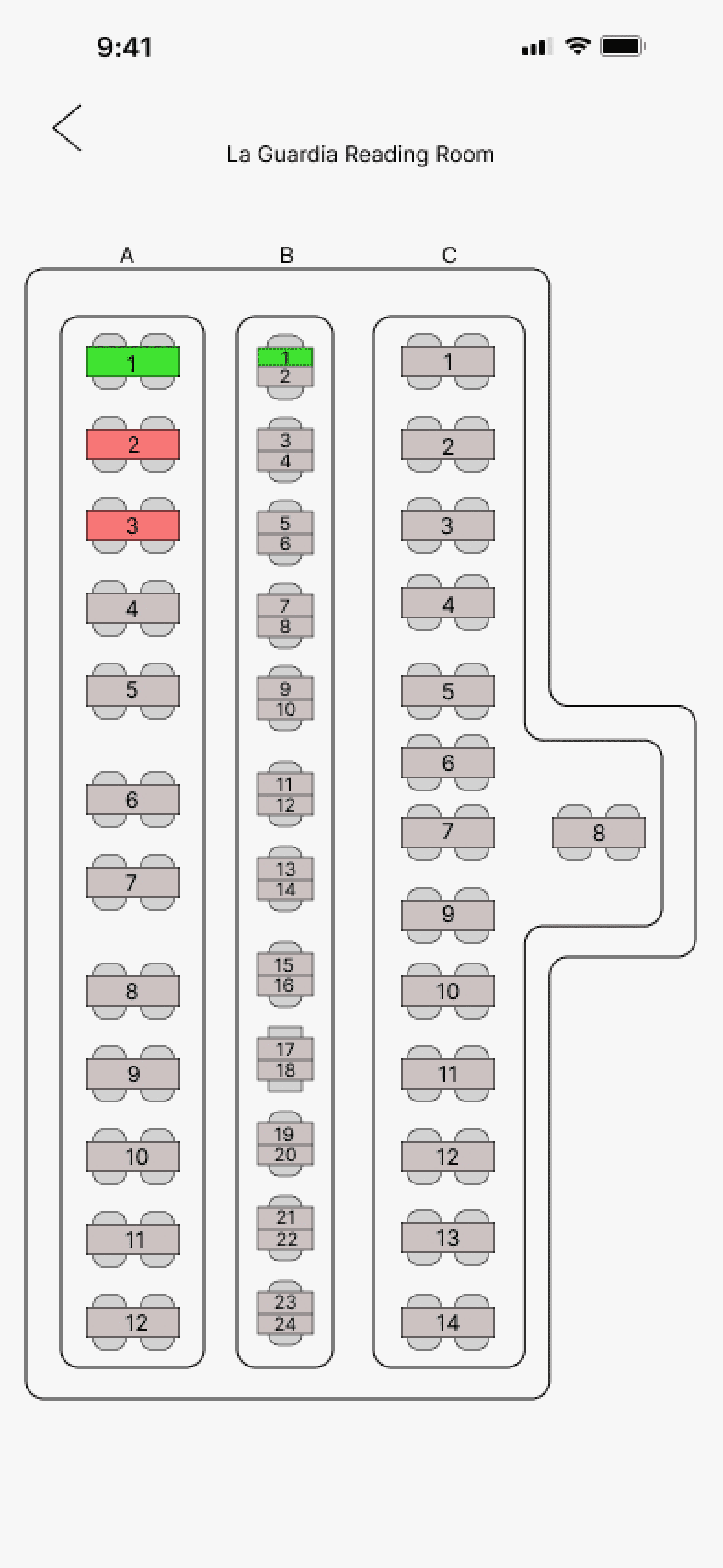
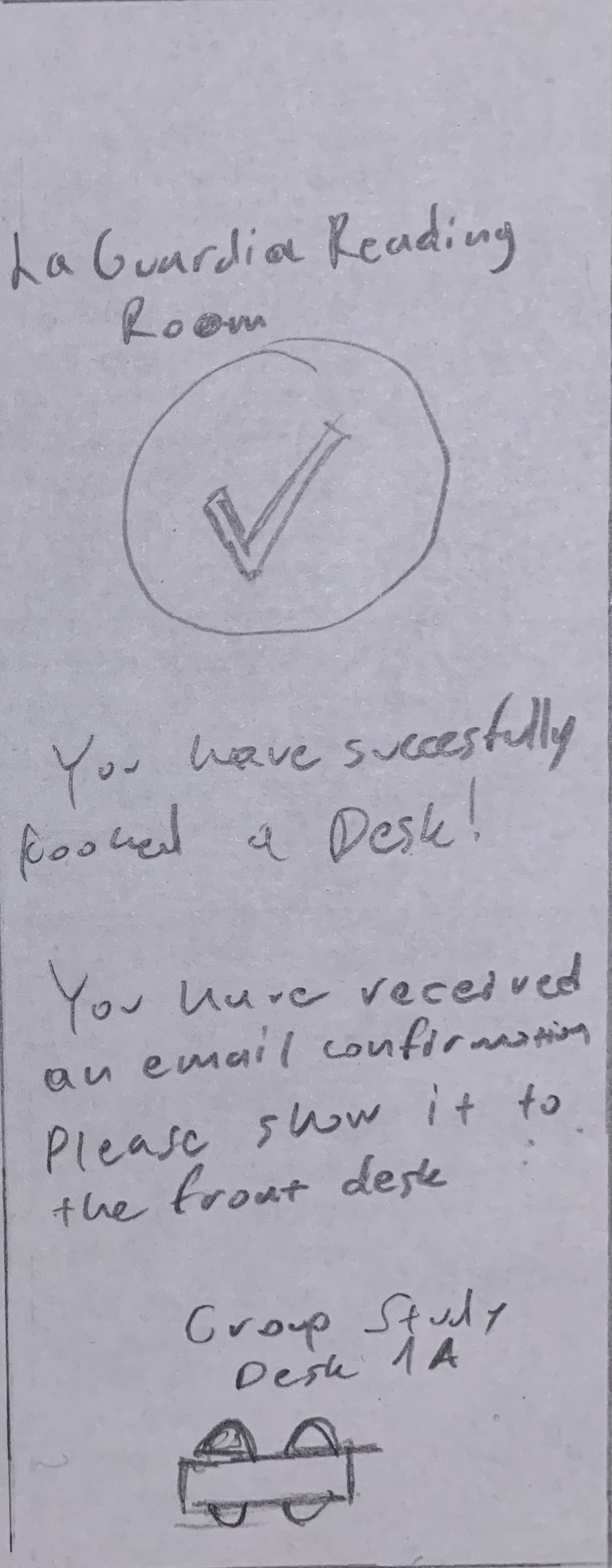
La Guardia reading room
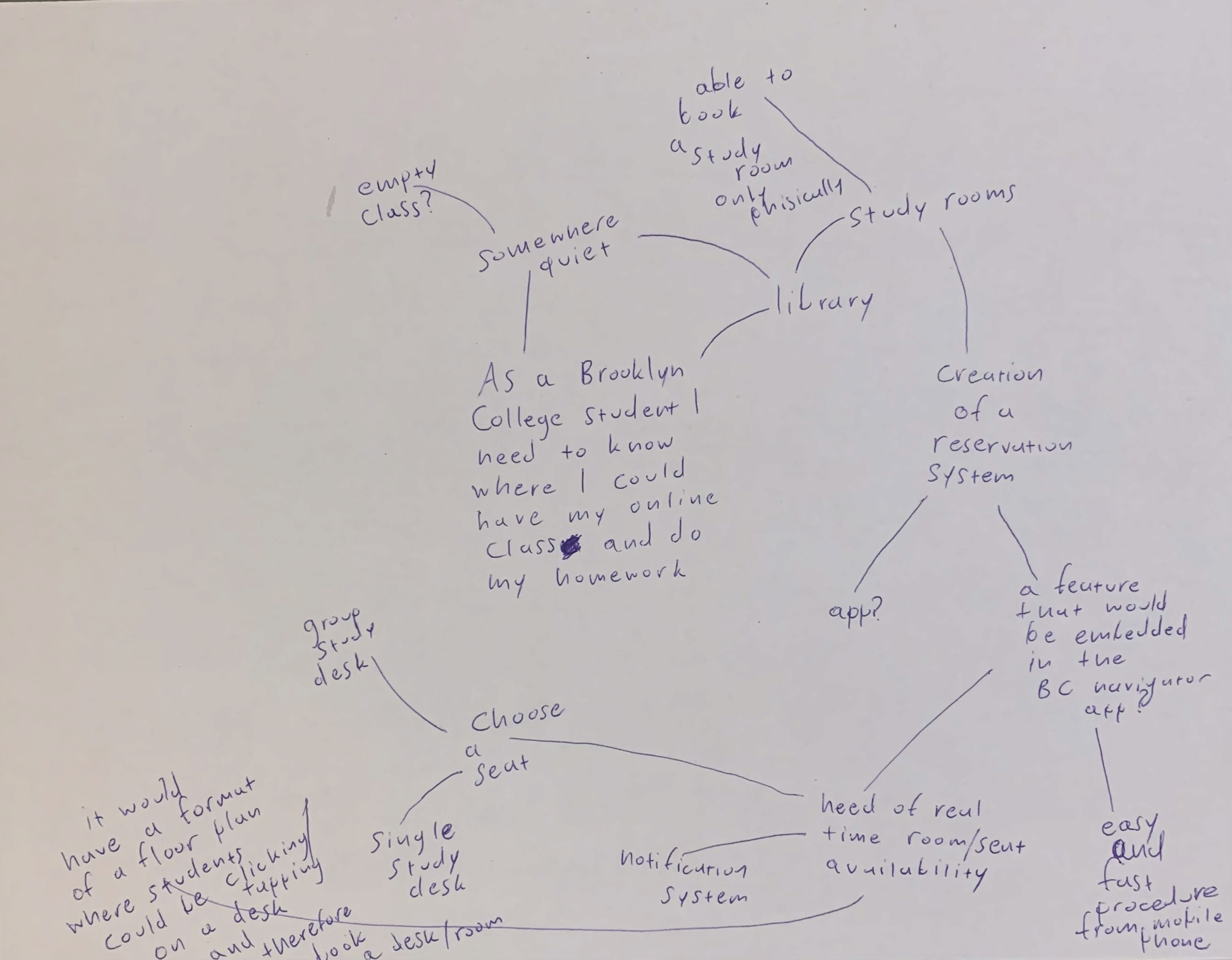
I initially came up with some problem statements to arrive to a definite one. Then, I created a mindmap so I could brainstorm and think about how I would create a digital study room feature. There are students that need to stay on campus so they could do their work and I concluded that the study rooms located at the library would be ideal.
I decided to conduct interviews with three Brooklyn College students to get their opinion about potentially creating a “book a study room” digital feature through the BC navigator app.
Research
Before
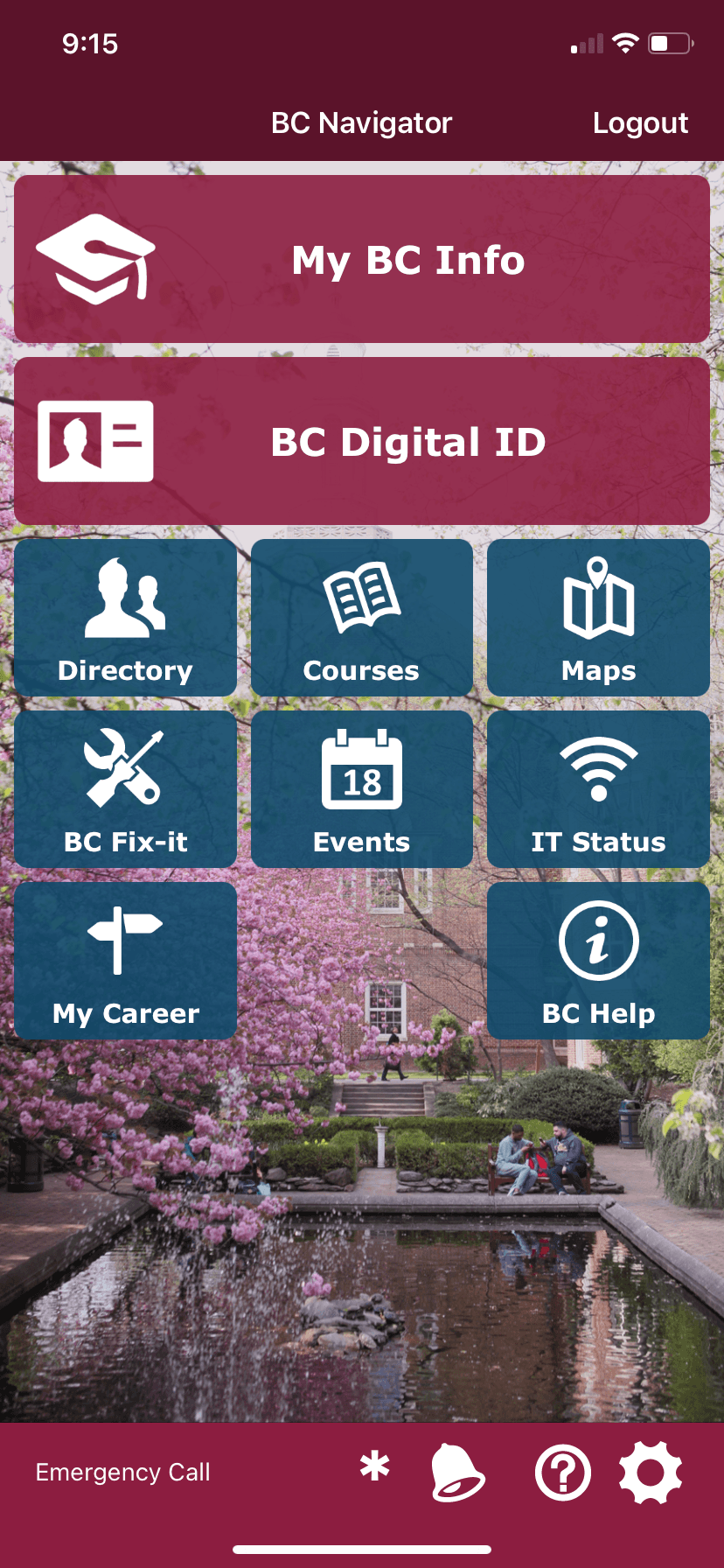
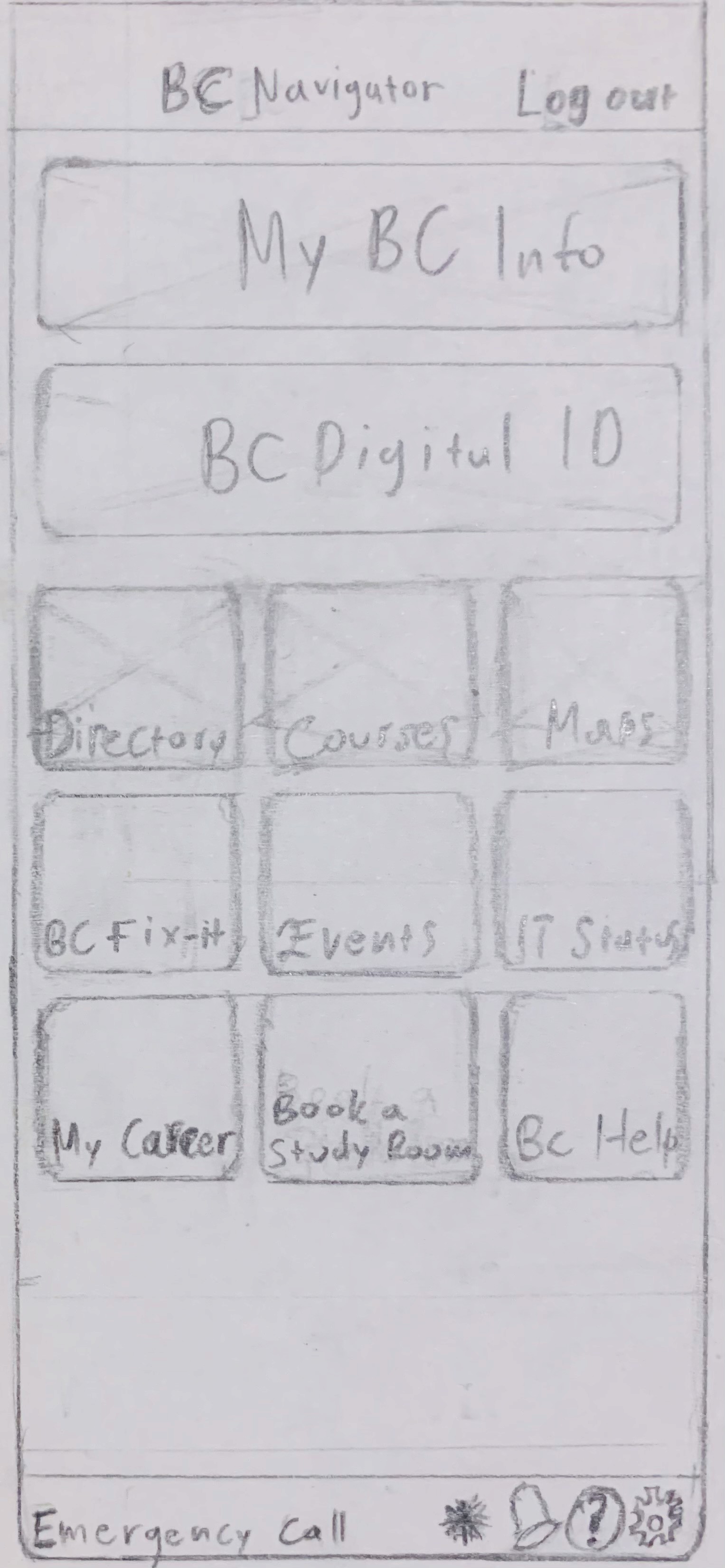
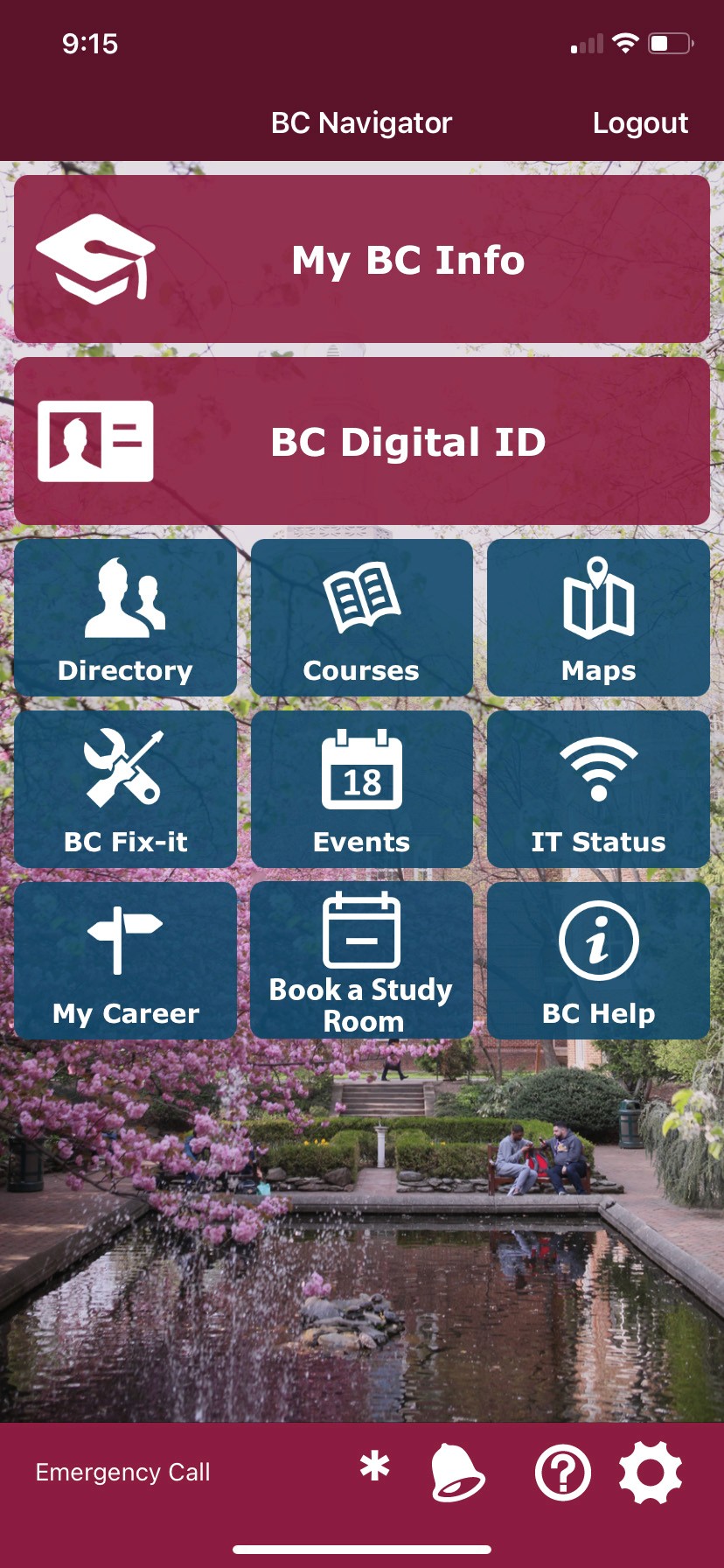
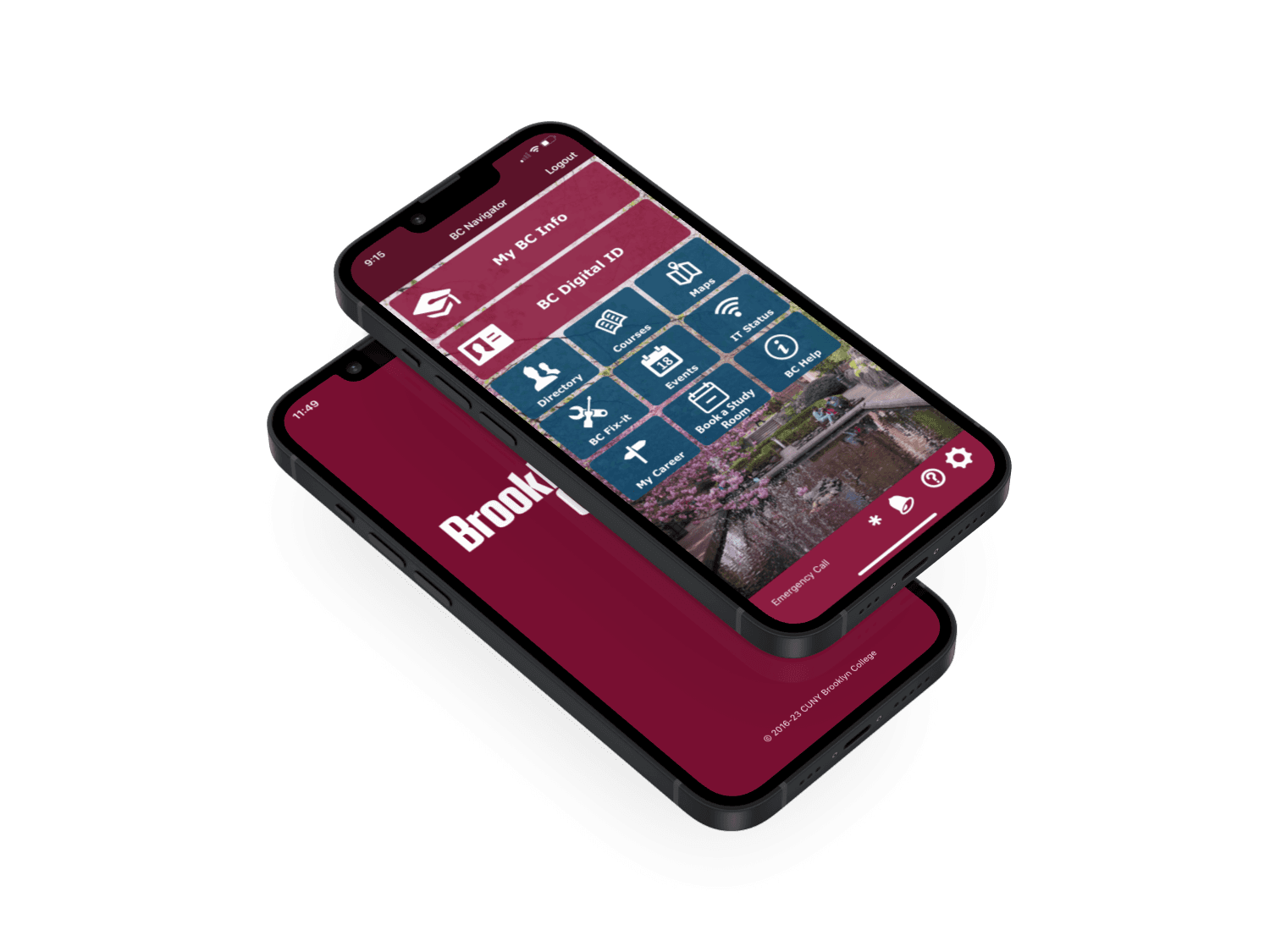
After the interview results I used Photoshop to create the new feature on the BC navigator app menu.
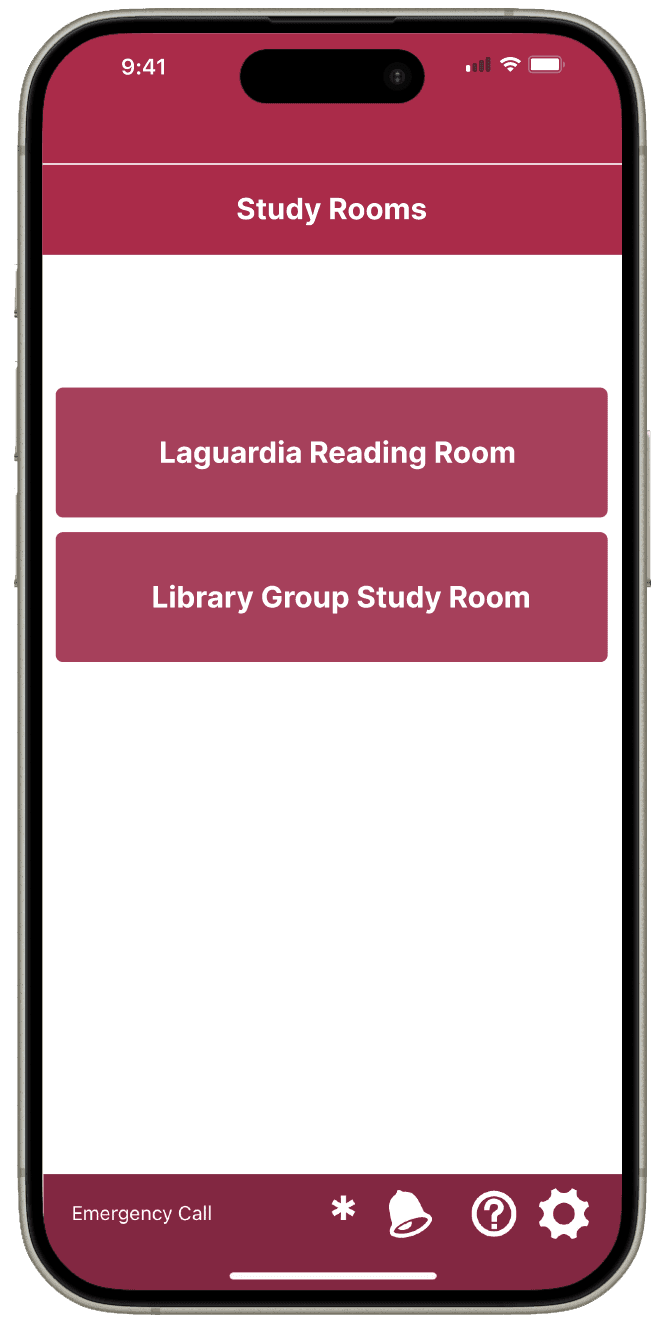
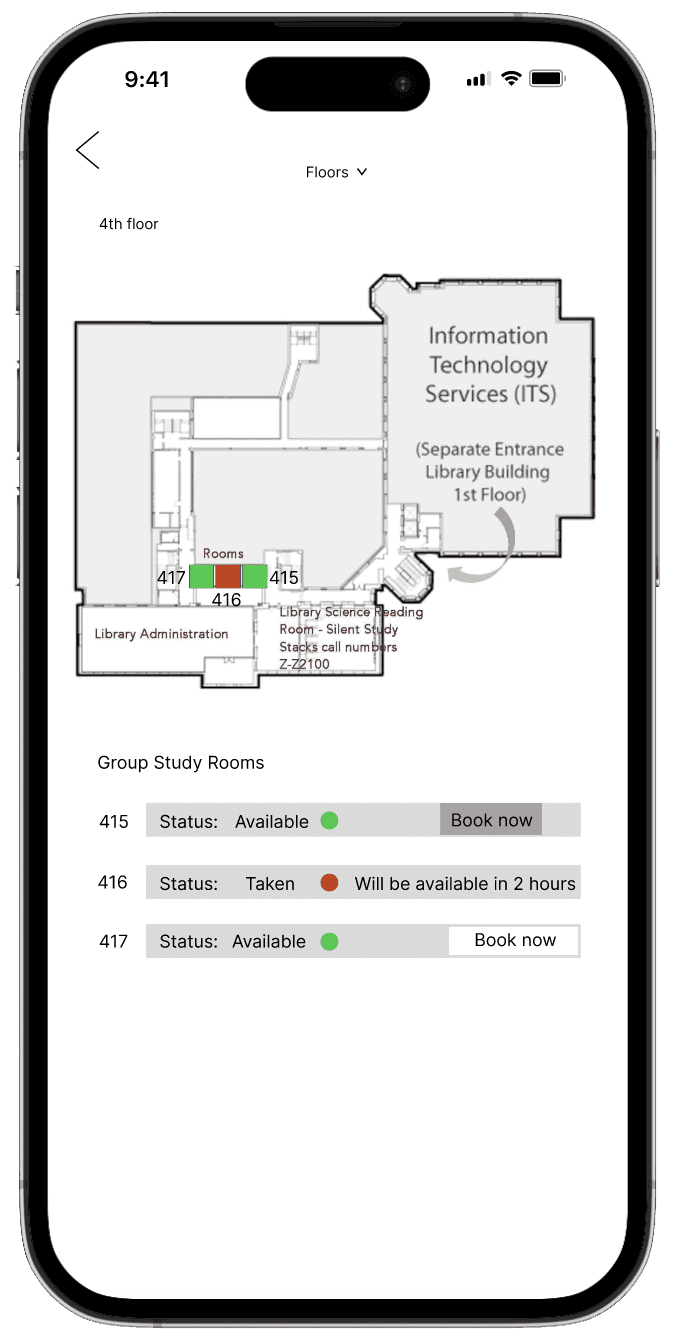
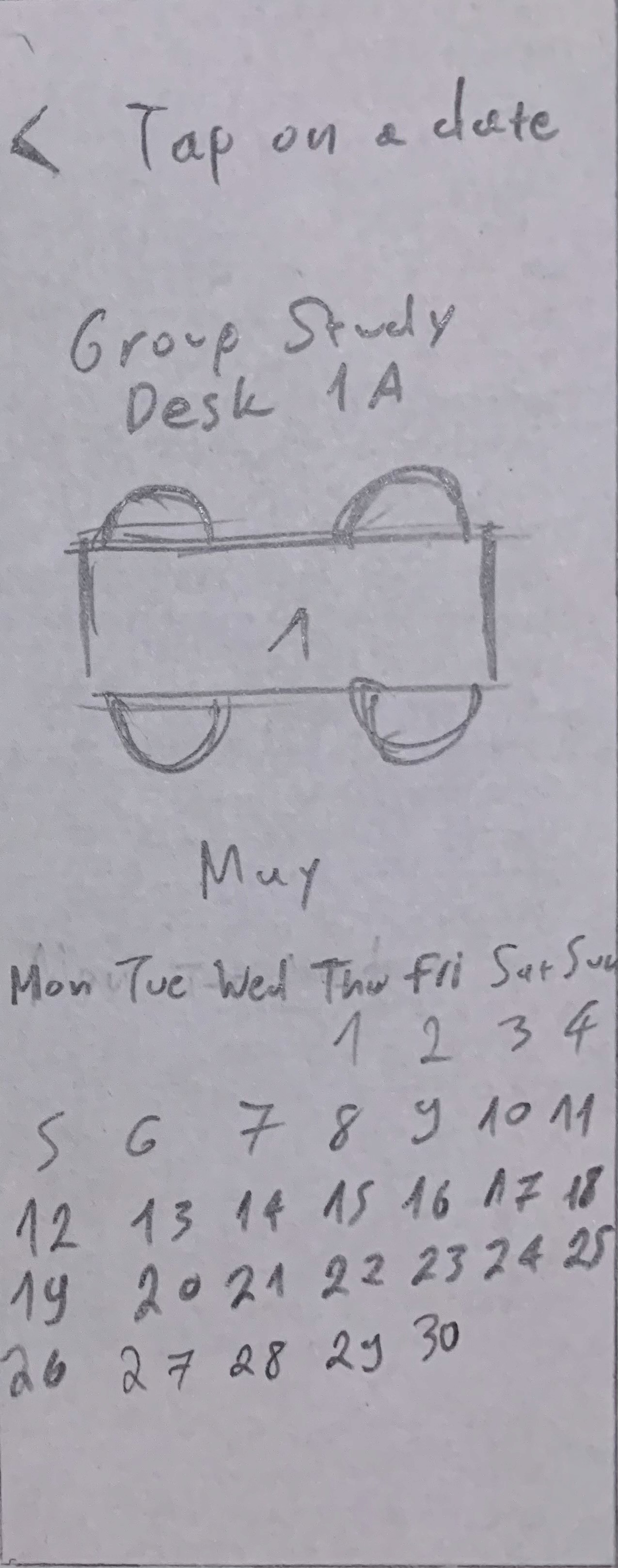
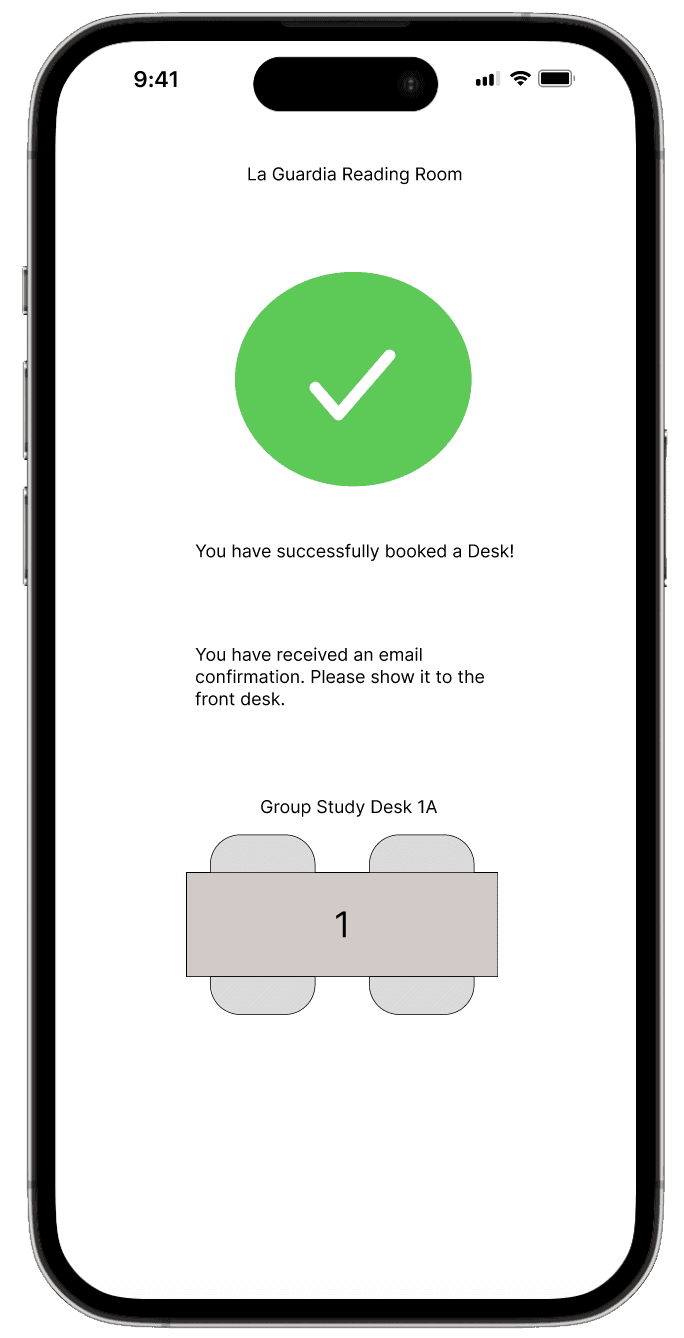
Taking into consideration user’s opinions I changed the booking process for the “La Guardia Reading Room”. Instead of the map I created sections of each single and group study desks so students would be able to view by green (available) and red (taken). Additionally, tapping on a room would display a calendar with the available dates and hours for booking a single or group study desk.
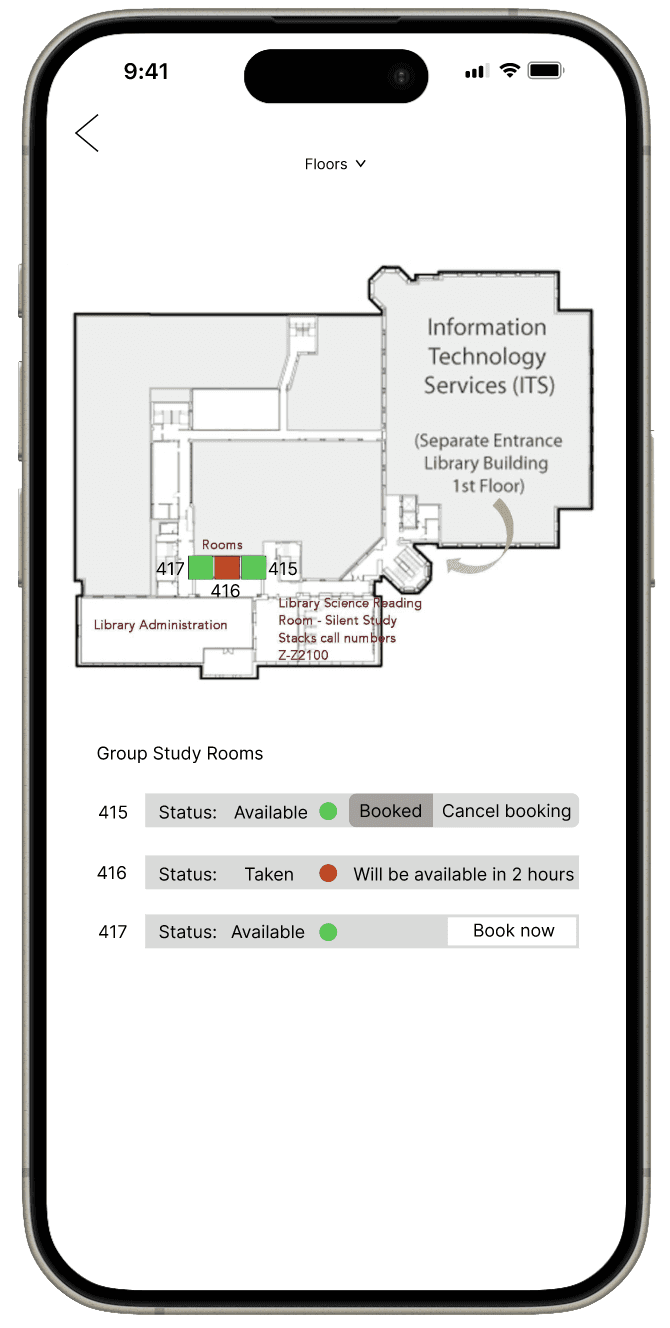
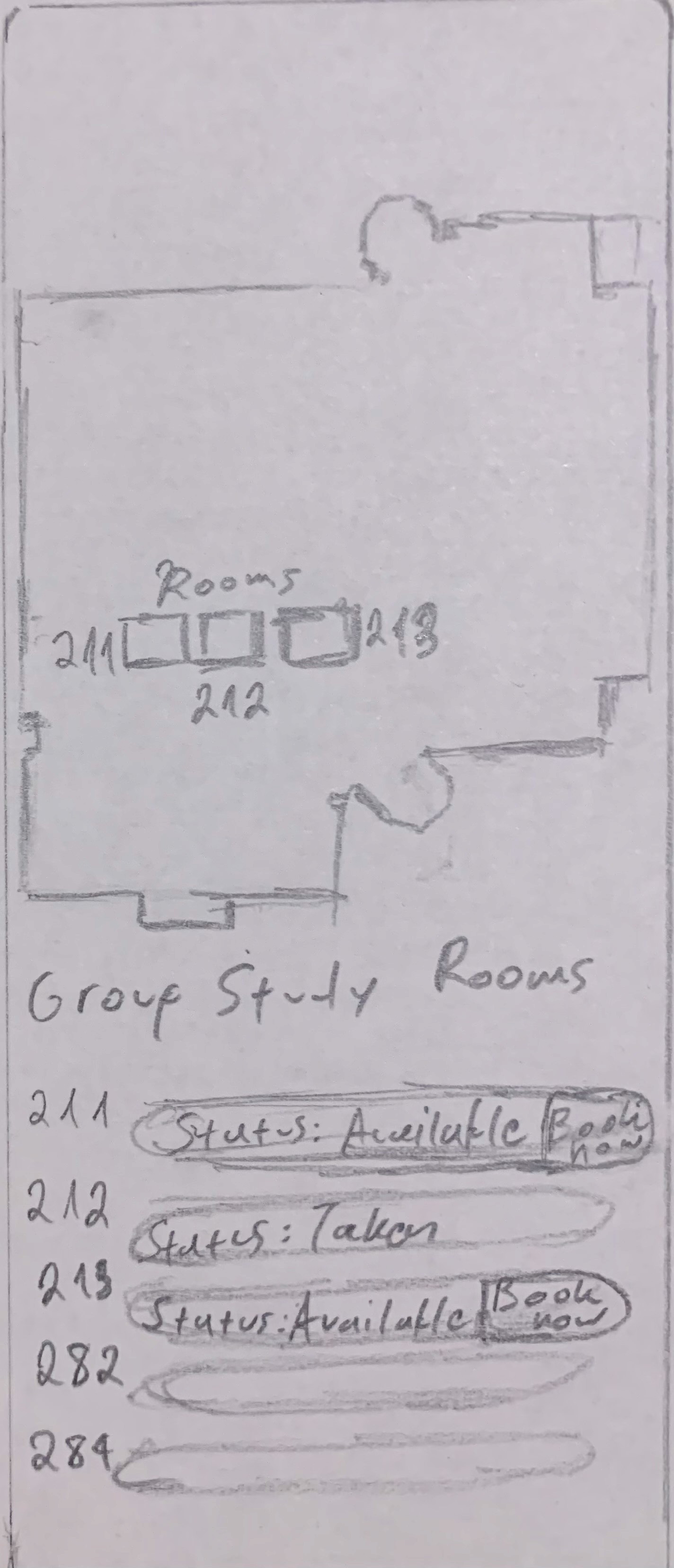
In the Group Study Rooms students would switch between the second, third and fourth floor to find an available group study room. They could also cancel their booking in case they change their mind.
User testing was decisive for the final layout and UX of the feature. Creating a booking feature is totally different than creating an app so it was definitely intriguing to work on something that my school hadn’t implemented. In addition, finding people who make use of study rooms was a challenge for this project because most people I knew did not use a study room. In addition, another challenge was figuring out the UI for the study rooms as I would reconsider the design.
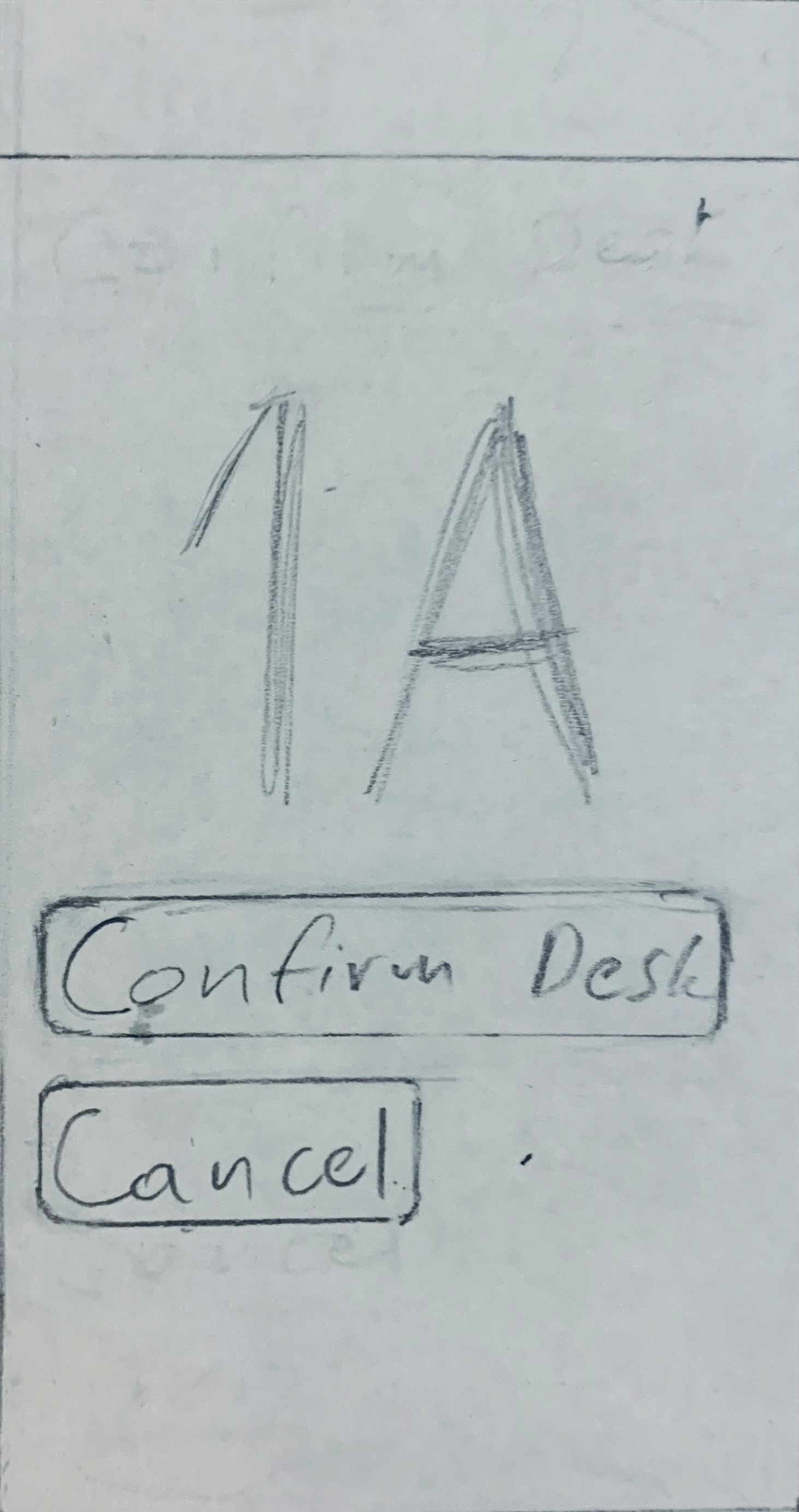
Low fidelity wireframes
Interviews
PROCESS BREAKDOWN
WIREFRAMES
USER TESTING
Students would prefer a convinient and quick process which would be done through their phones.
Mobile accessibility
Two out of three students have not used a study room. They would go to the library to have a online class or do other assignments.
Frequency and Location Usage
INTERVIEW RESULTS
REFLECTION
RESEARCH
PROTOTYPE
Final Prototype
Evaluate feedback
High Fidelity Wireframes
Ease of Booking
It should be easy and accesible. Students would make use of a potential booking feature through the app.
Students don’t mind about the current process but would be keen on following a digital one.
In person and digital process
After
Figma
FINAL SOLUTION
Book A Study Room
“A feature where students can book a study room digitally”
Noticing that students were repeatedly visiting the front desk to a study room, including myself, I designed a new feature in the BC Navigator app that allowed booking and reserving rooms in advance.
ABOUT THE PROJECT
STRATEGIES:
Figma, Adobe Photoshop
TOOLS:
Jump to solution
Interviewing, UX/UI Design, Wireframing, Prototyping
THE PROBLEM
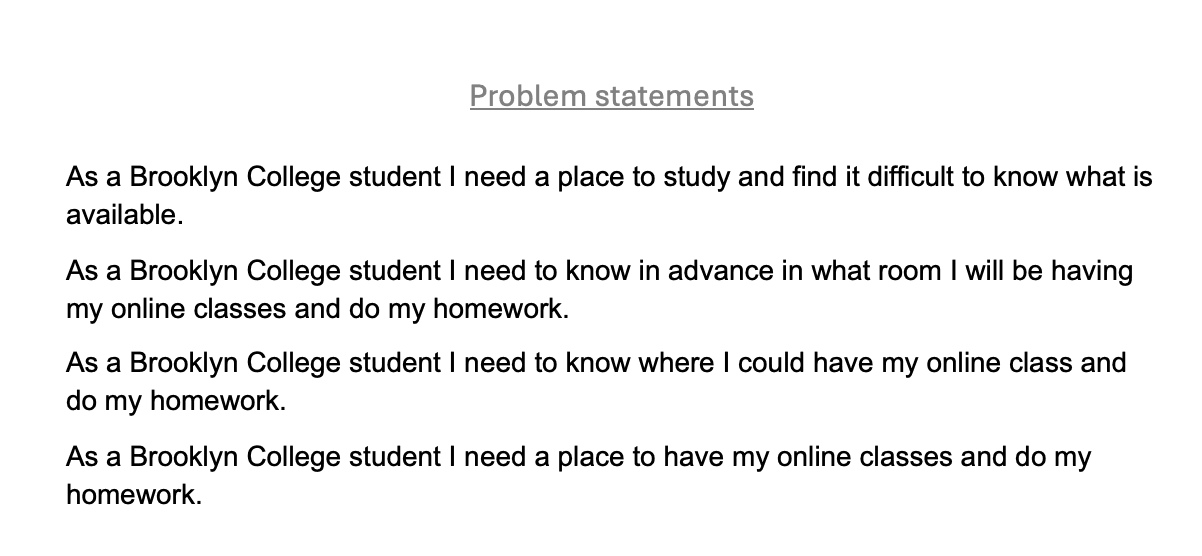
“As a Brooklyn College Student I need to know where I could have my online class and do my homework”.